
Document NFC
Product overview
Document NFC enables you to extract and verify identity data directly from the NFC chip embedded in supported NFC-enabled identity documents, including passports, ID cards, electronic IDs (eIDs), driver’s licenses, and residence permits.
By relying on chip-level data, Document NFC provides high-assurance, tamper-resistant identity verification.
Benefits
With Document NFC, you can:
- Read secure identity data directly from NFC-enabled documents.
- Verify authenticity using chip-level security, not just surface images.
- Speed up onboarding with automated, tamper-proof data extraction.
- Detect cloned or altered documents using passive NFC protocols.
Passport NFC scanning instruction
ID card NFC scanning instructions
Supported NFC documents
The following identity document classes commonly support NFC-based data extraction and verification.
To view the complete list of supported NFC-enabled documents, see the Supported NFC Documents page.
| Document class | ICAO / standard code | Adoption | NFC support |
|---|---|---|---|
| Electronic Passport (ePassport) | P | Global (150+ countries) | Widely supported |
| National Electronic ID (eID) | I / ID | Common in EU/EEA countries | Country-dependent |
| Electronic Residence Permit | IR / RE | Common in EU and Commonwealth countries | Widely supported |
| Electronic Driver’s License (eDL) | DL | Emerging | Limited and jurisdiction-dependent |
Supported devices
To read the NFC chip the client’s device must support secure NFC communication. Most modern smartphones do, but see the table for details.
| Device Type | Details |
|---|---|
| iPhone 7 and newer | Supports NFC. Models XR, XS, 11 and later support secure chip reading via Core NFC. |
| Android devices | Most devices from 2016 onward support secure NFC communication. |
Check NFC availability
Before starting NFC verification, the client can verify that the device supports NFC and that NFC is enabled.
| Device Type | NFC Availability & Setup |
|---|---|
| iPhone devices | NFC is automatically enabled on supported models (iPhone 7 and newer). No setup required. |
| Android devices | Go to Settings > Connected Devices > Connection Preferences. If NFC is available, ensure it’s turned on. |
Document NFC flow
Document NFC verifies identity data in four steps:
- The client scans their document using an NFC-enabled device.
- The NFC chip is unlocked using MRZ data or a Card Access Number (CAN).
- Data is securely extracted from the chip.
- The data is verified using cryptographic checks.
This ensures that:
- The document is physically present.
- The data is authentic and unaltered.
- The issuing authority is trusted.
Note
Document NFC is supported only in the mobile SDKs and is not available in Web SDK integrations.
Update to SDK version 3.4.10 or later to benefit from the latest improvements.
For configuration support, contact your Fourthline Customer Success Manager.
NFC chip authentication
Document NFC supports two verification mechanisms:
- Active authentication: verifies that the NFC chip is genuine and not cloned.
- Passive authentication: verifies that the chip data is authentic and has not been modified.
Together, these ensure secure access to trusted identity data with minimal friction for the client.
NFC chip access
Fourthline supports two NFC flows, depending on whether the client’s document requires a CAN.
| Flow | Description |
|---|---|
| With CAN | Client enters a 6-digit CAN to unlock the chip |
| With MRZ | A secure key is generated from document data MRZ to unlock the chip |
Access with CAN
To access data stored on the NFC chip, the client enters the 6-digit CAN printed on the document. The CAN confirms physical possession of the document and establishes secure access to the NFC chip.
- The client scans their document using an NFC-enabled device.
- Fourthline guides the client to position the document correctly.
- The client enters the CAN.
- Fourthline reads and verifies the chip data.
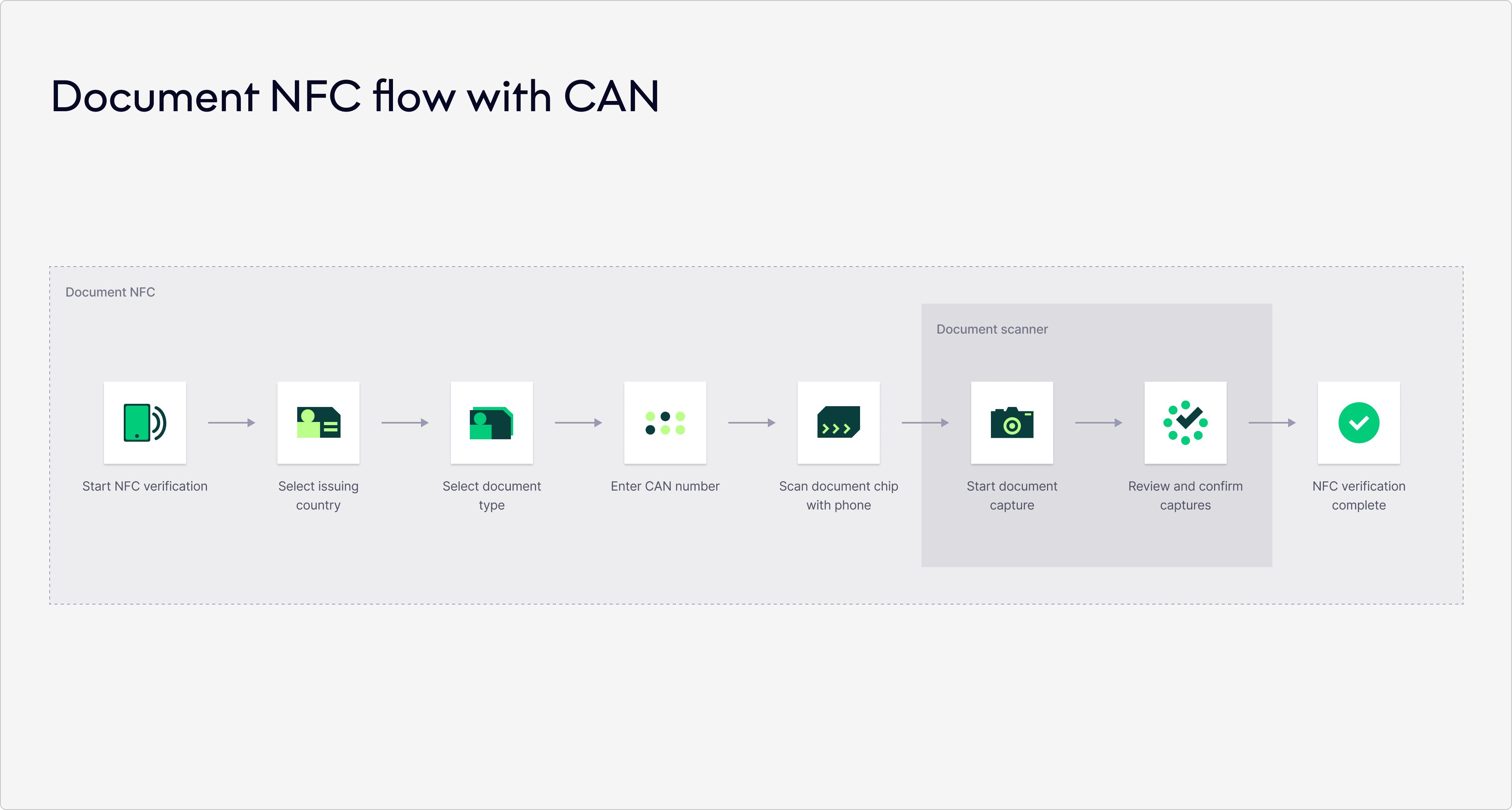
Document NFC with CAN
Access with MRZ
In some markets, such as the Netherlands and Germany, the NFC chip can be accessed without a CAN.
Instead, a secure key is generated from the document's MRZ.
- The client scans their document using an NFC-enabled device.
- Fourthline extracts MRZ data captured during Document Photo or Liveness, such as document number, expiry date, and date of birth.
- The NFC chip is unlocked using this key.
- Fourthline reads and verifies the chip data.
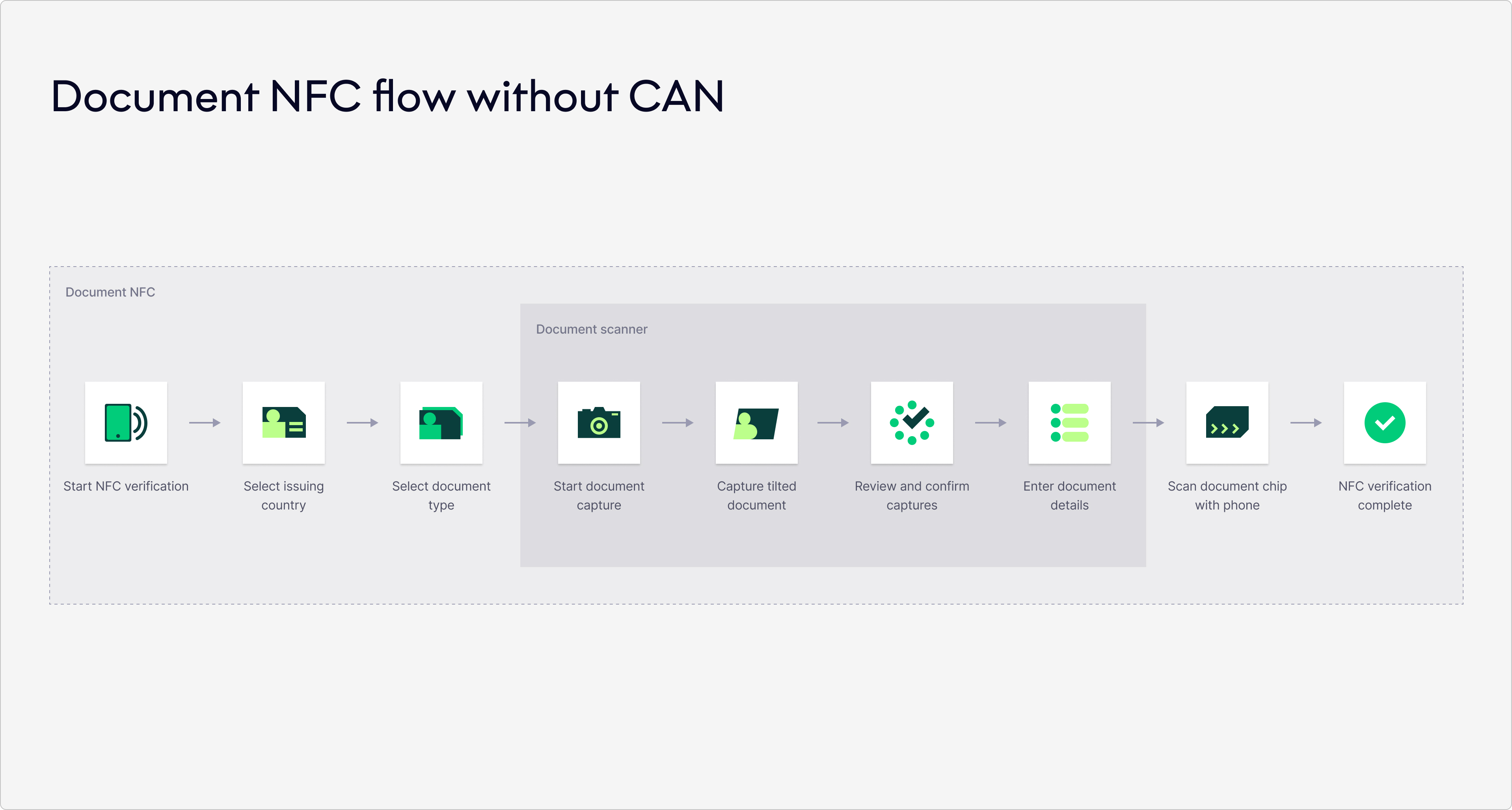
Document NFC without CAN
In both flows, Fourthline:
- Verifies the chip is genuine and not tampered with.
- Extracts the data from the chip.
- Validates the data against other sources, such as Document Photo or Document Liveness.
Extracted NFC data
NFC data availability depends on the issuing country, document type, and document version.
If available, Fourthline extracts the following data from the NFC chip:
- Type of identification document
- Document number
- Issuing authority
- Issue date
- Expiry date
- First name(s) and surname(s)
- Date of birth
- Place of birth (city and country)
- Nationality
- Sex
- Document holder photo (biometric portrait)
Note
Align with your Fourthline Customer Success Manager on which NFC data fields should be extracted for your integration.
Verification checks
Fourthline performs comprehensive checks, including:
| Check | Description |
|---|---|
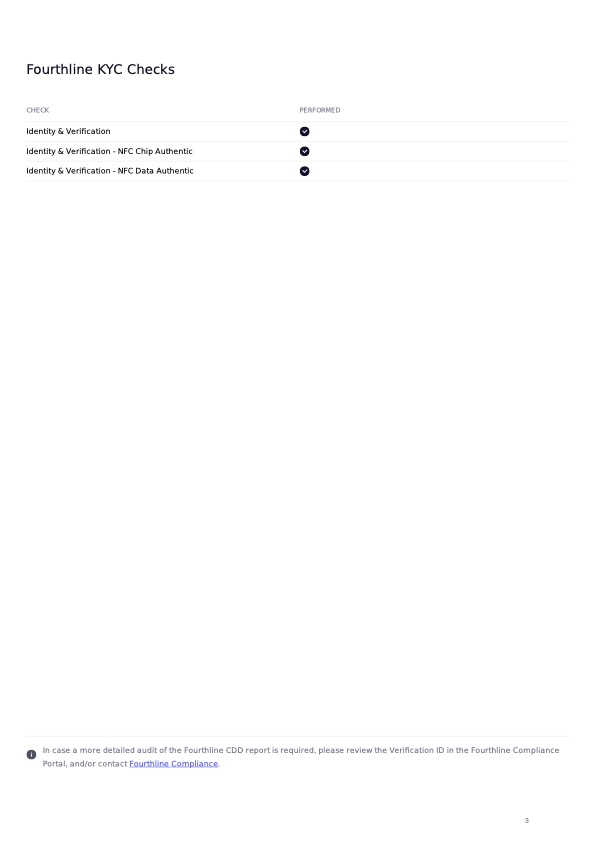
| NFC Chip Authentication | Verifies that the NFC chip is genuine and has not been tampered with. |
| NFC Data Authentication | Validates that the data read from the NFC chip is authentic and matches trusted issuer data. |
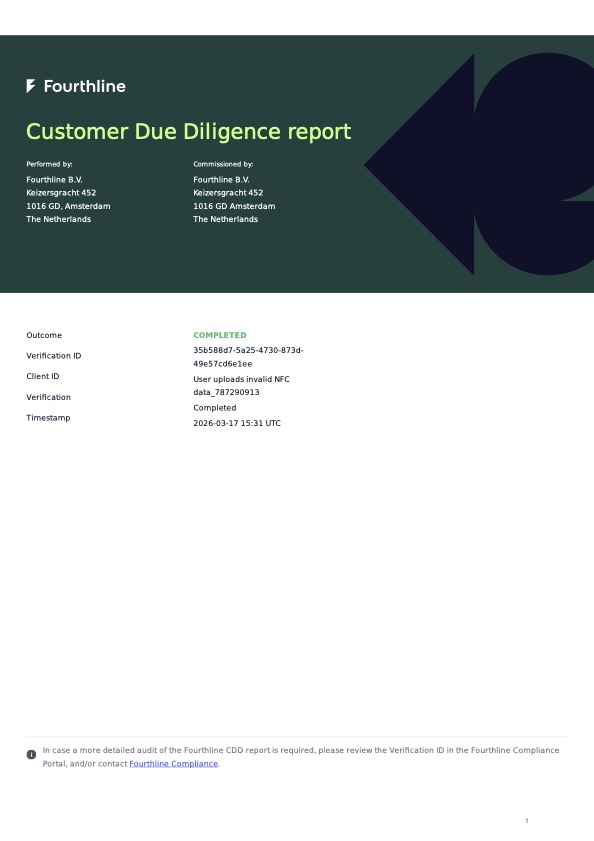
Example CDD Report
FAQ
Do all identity documents support NFC?
No. Only some identity documents contain an NFC chip.
We recommend providing an alternative verification method for documents that do not support NFC.
Is CAN always required?
No. Some documents require a Card Access Number (CAN) to unlock the chip, while others can be accessed using MRZ data.
What happens if NFC fails?
If NFC reading fails (for example, due to device limitations or an error), you should fall back to:
- Document Photo
- Document Liveness
This ensures the verification flow can still be completed.
When should I use Document NFC in my flow?
Document NFC is recommended when you require:
- High-assurance identity verification
- Strong fraud prevention
- Reliable data extraction
It is typically used as an additional verification step.
Next steps
Learn how to include Document NFC in your Identity Verification solution.
Updated 22 days ago