
Money Transfer
Product overview
Money Transfer ensures that the client holds a bank account with a financial institution and verifies the account holder's name.
To facilitate this verification, the client transfers a small amount, typically €0.10, to Fourthline via their own bank.
Fourthline automatically matches the International Bank Account Number (IBAN) and account holder name provided by the client with the details of the payment received.
To configure the exact amount the client needs to transfer, contact your Fourthline delivery manager.
Fourthline provides a bulk payout of all received client funds over a defined period, along with the necessary information to reconcile payments in your system.
You can either return the funds to the client's original account or credit them to a newly opened account.
Use this method as part of your Identity Verification solution, together with Qualified Electronic Signature (QES), to support a BaFin-compliant onboarding flow in Germany.
How it works
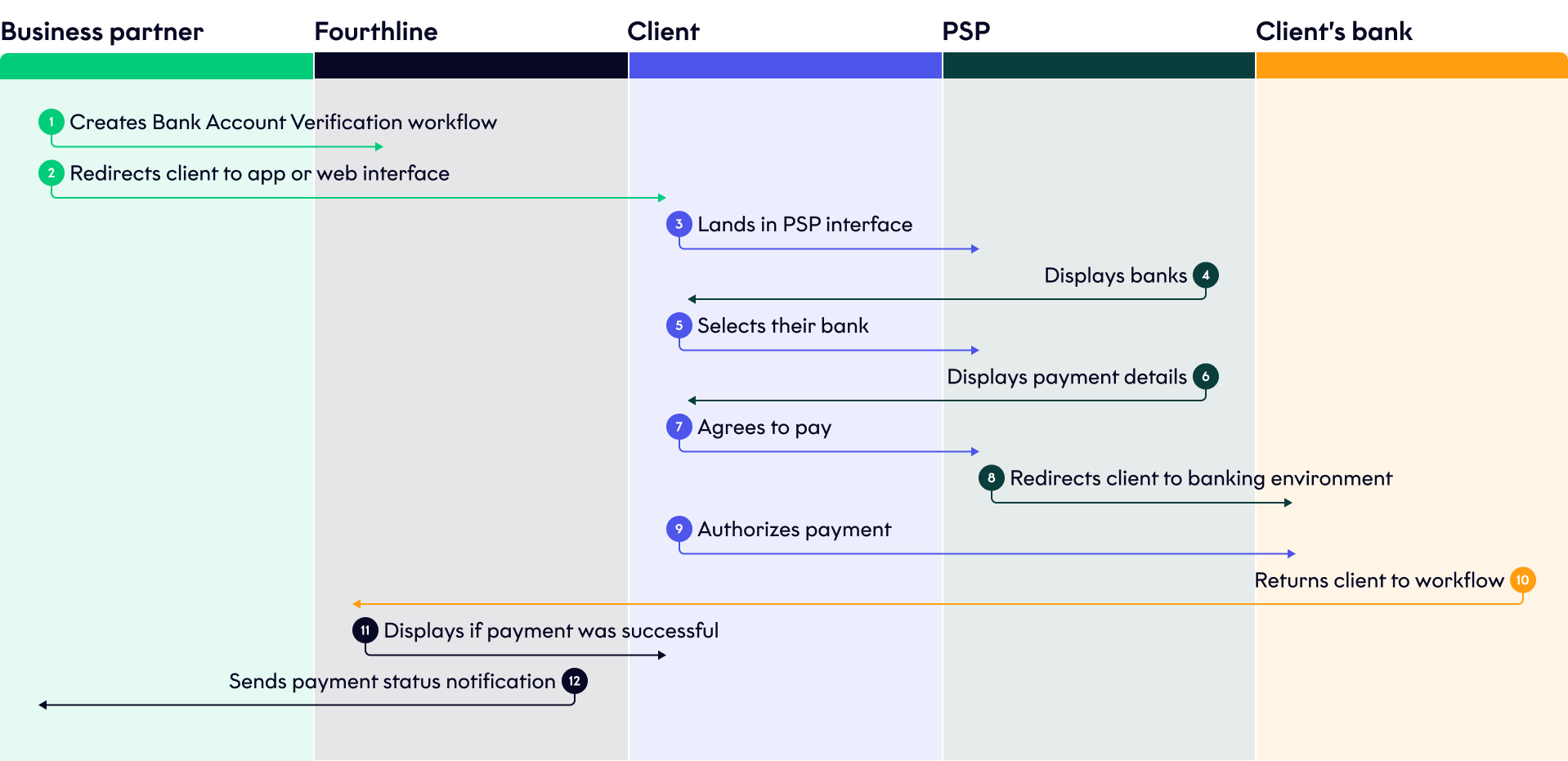
The flow is as follows:
Reference payment
- The client starts the workflow.
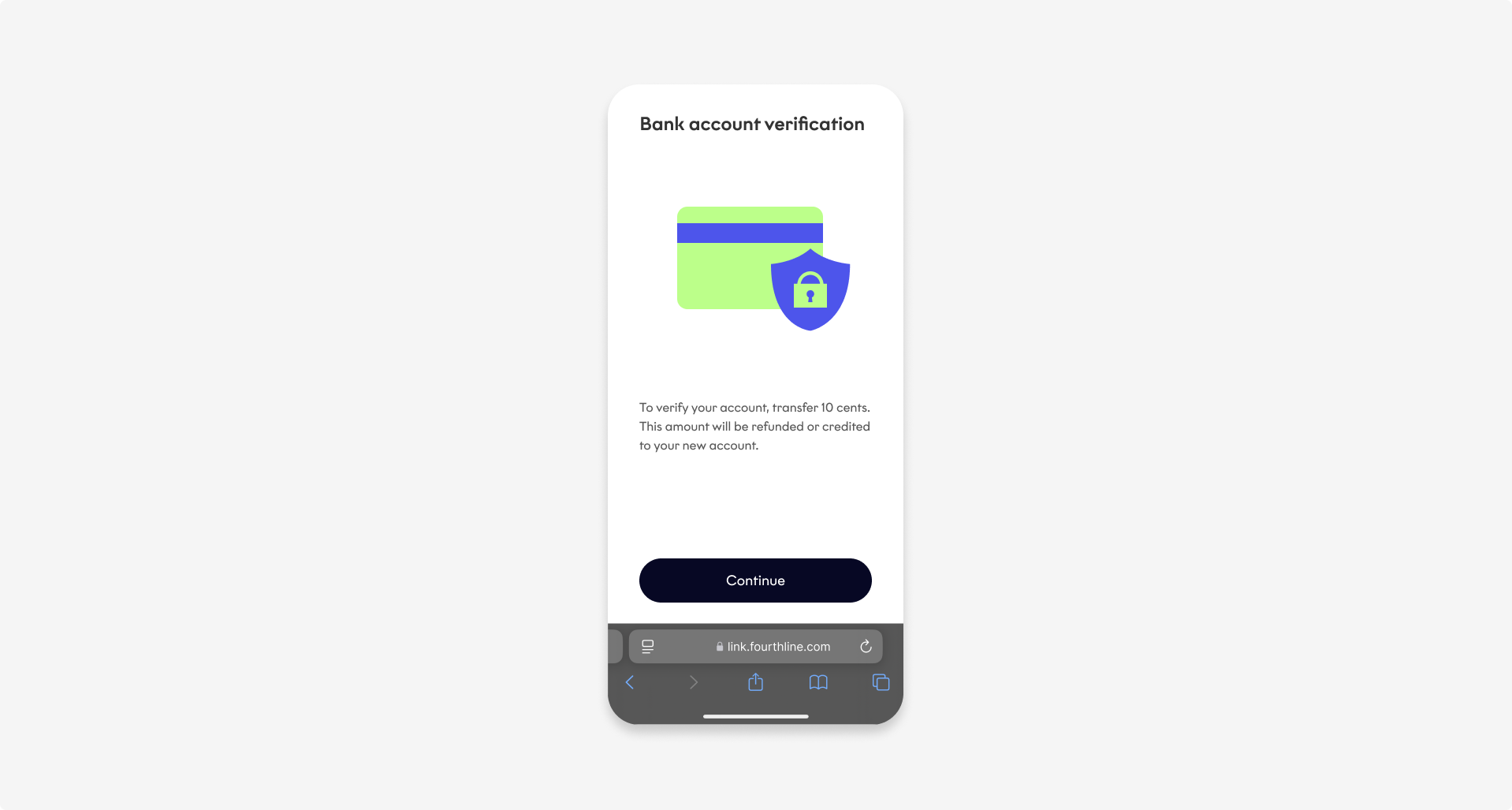
Introduction screen
- They are redirected to the PSP payment interface, where they select their bank.
- The PSP displays the payment details, and the client agrees to pay.
- Then, the PSP redirects the client to their banking environment, where they authorize the payment.
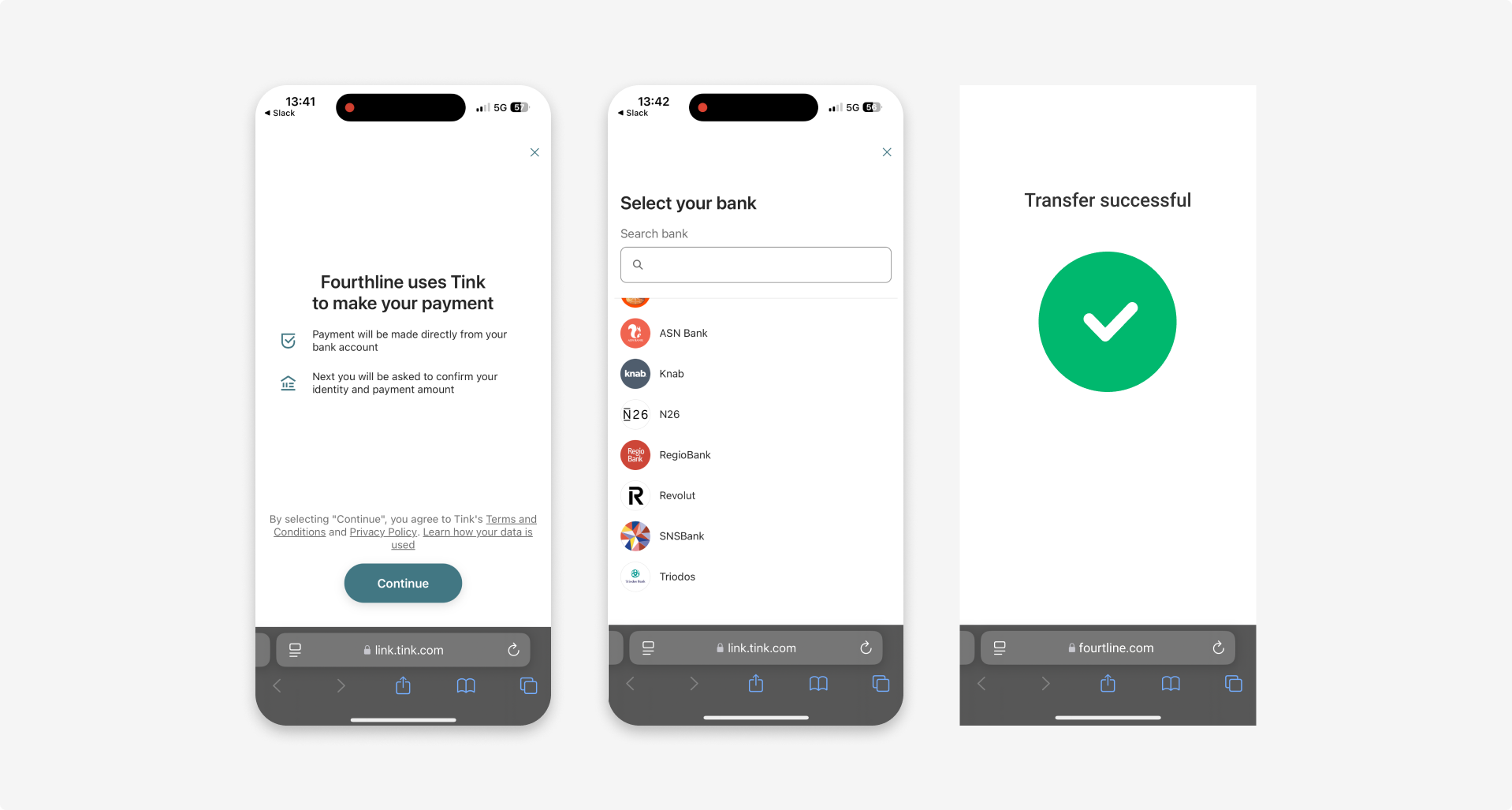
Tink payment interface
If there are issues, the interface displays relevant error messages:
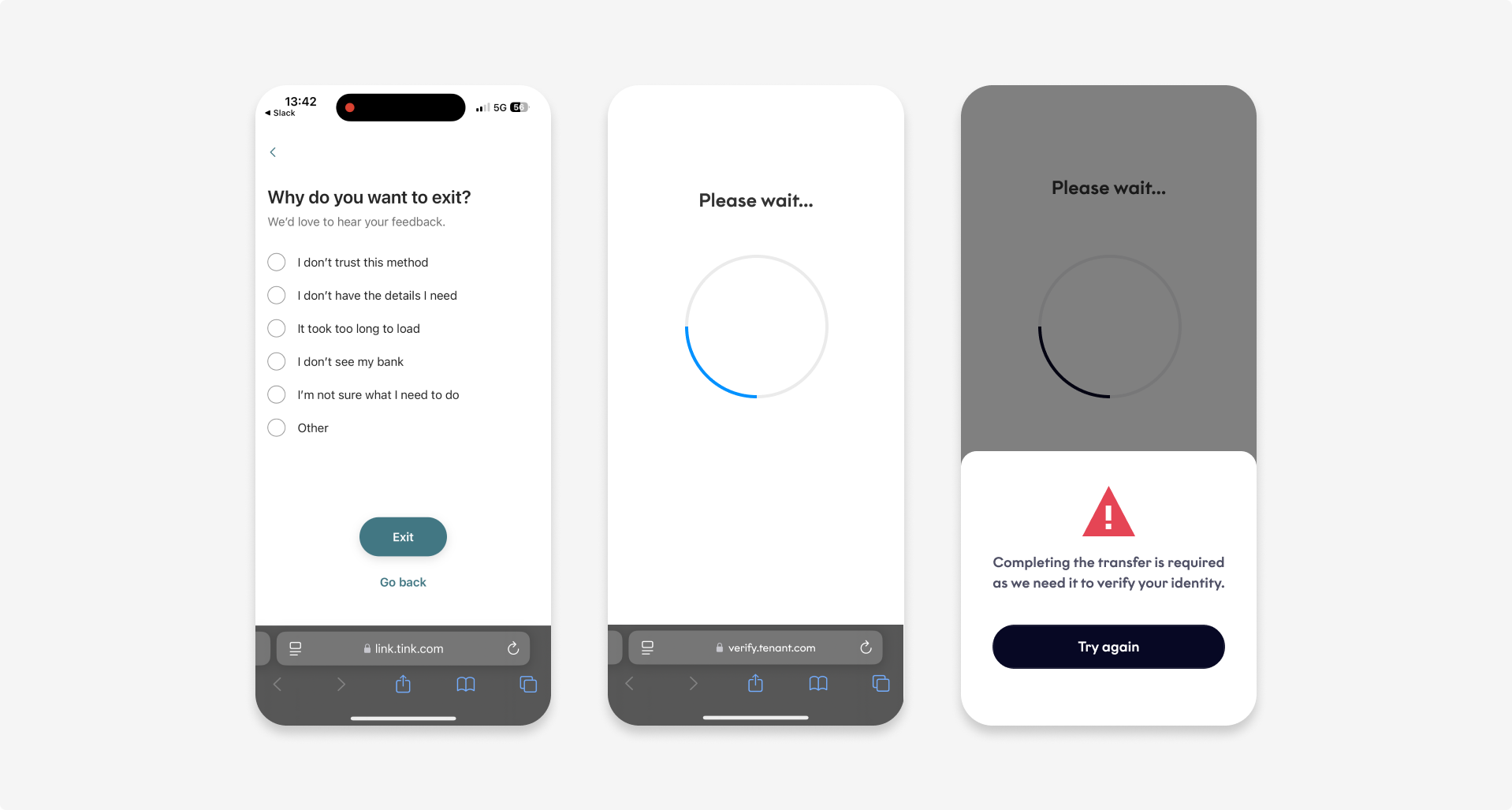
Tink errors
Payment confirmation
The client returns to the workflow, and Fourthline displays whether the payment was successful.
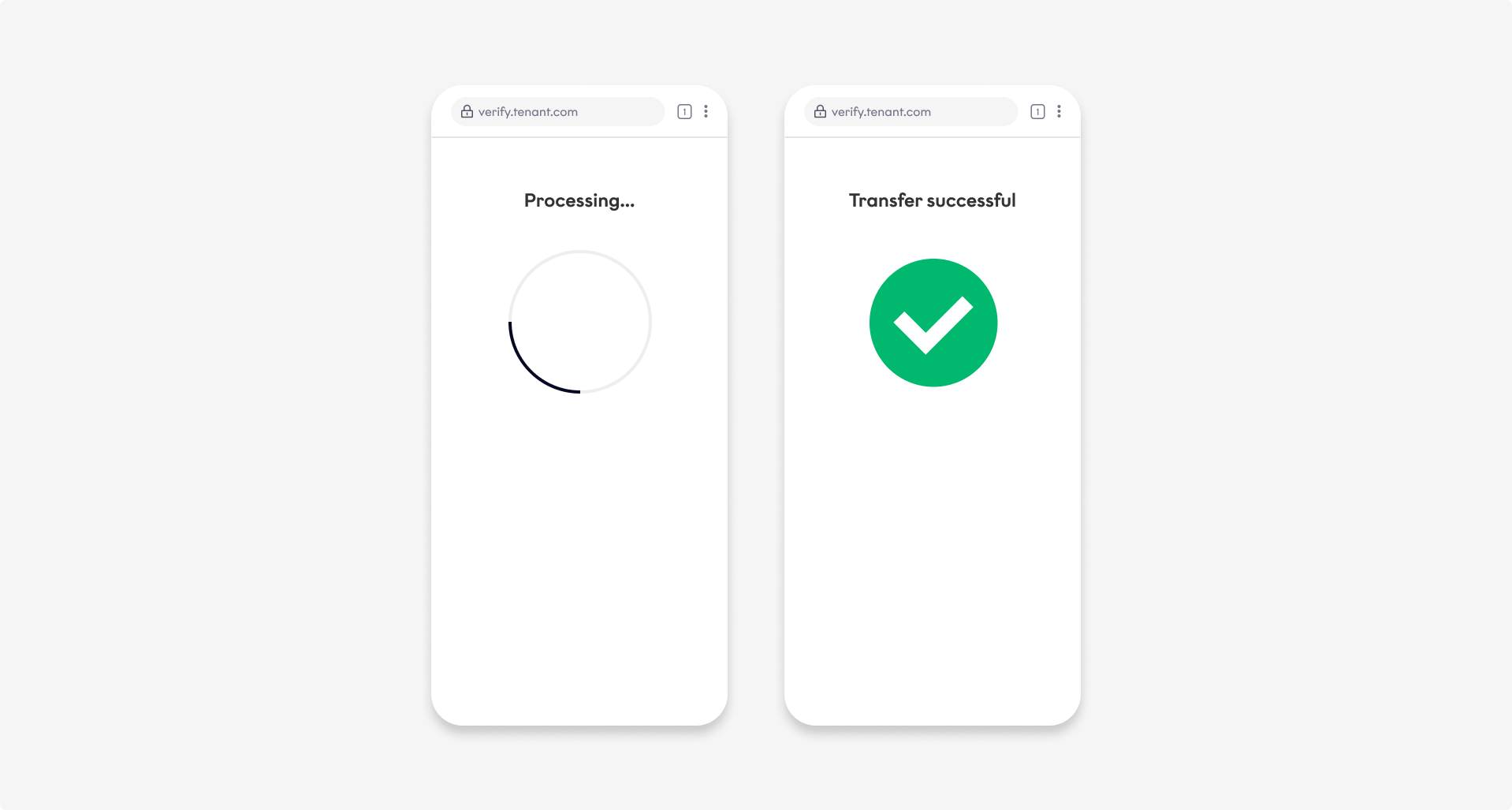
Payment confirmation
Next steps
Learn how to include Bank Account Verification in your Identity Verification solution.
For a standalone use case, see the Integration Guide.
Updated about 2 months ago