
Demo Videos
Integration Options
This page features a collection of videos that showcase our solutions and modules.
Identity Verification & modules
Identity Verification
The European Identity Verification flow on the App Drop-in is as follows:
Note
- The SDK automatically detects the document type and adjusts the UI accordingly.
- Documents with a machine-readable zone (MRZ) are captured automatically, without requiring the client to tap Take photo.
- The SDK provides guidance for selfie capture and liveness checks, ensuring that exactly one face is detected and remains within the frame.
Qualified Electronic Signature
The Qualified Electronic Signature module on the App Drop-in is as follows:
Bank Account Verification
The Bank Account Verification module on the App Drop-in is as follows:
Document NFC
The Document NFC flow on the App Drop-in is as follows:
Note
- The SDK provides instructions and an animation to guide the client through the process.
- It detects the chip and unlocks it using the document number, expiry date, and the client's date of birth (or the client's details as a fallback).
- It extracts the chip data and the portrait.
Physical Proof of Address
The Physical Proof of Address module on the App Drop-in is as follows:
Note
The client can either capture a photo of a document or upload an existing file.
Tax Number
The Tax Number module on the App Drop-in is as follows:
Note
The SDK provides a dedicated UI for entering Dutch, Italian, and Spanish tax numbers.
Client data
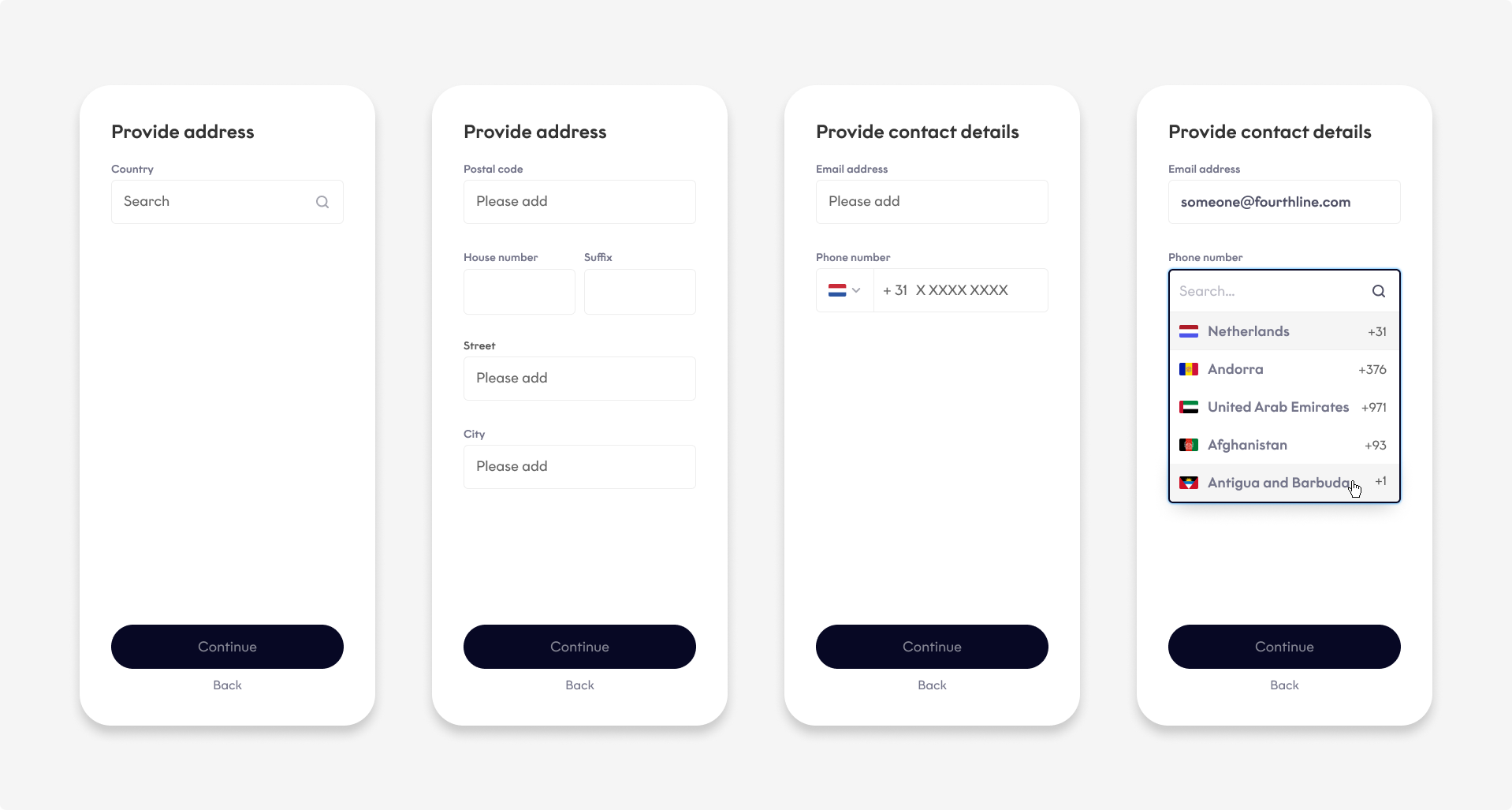
The SDK collects the client's personal data , address, and contact details in one module or separate modules:
Country-specific solutions
French solution
The French solution on the App Drop-in is as follows:
German solution
The German solution on the App Drop-in is as follows:
Authentication solutions
Biometric Authentication
The Biometric Authentication flow on the App Drop-in is as follows:
Document Authentication
The Document Authentication flow on the App Drop-in is as follows:
Flow management
Permissions
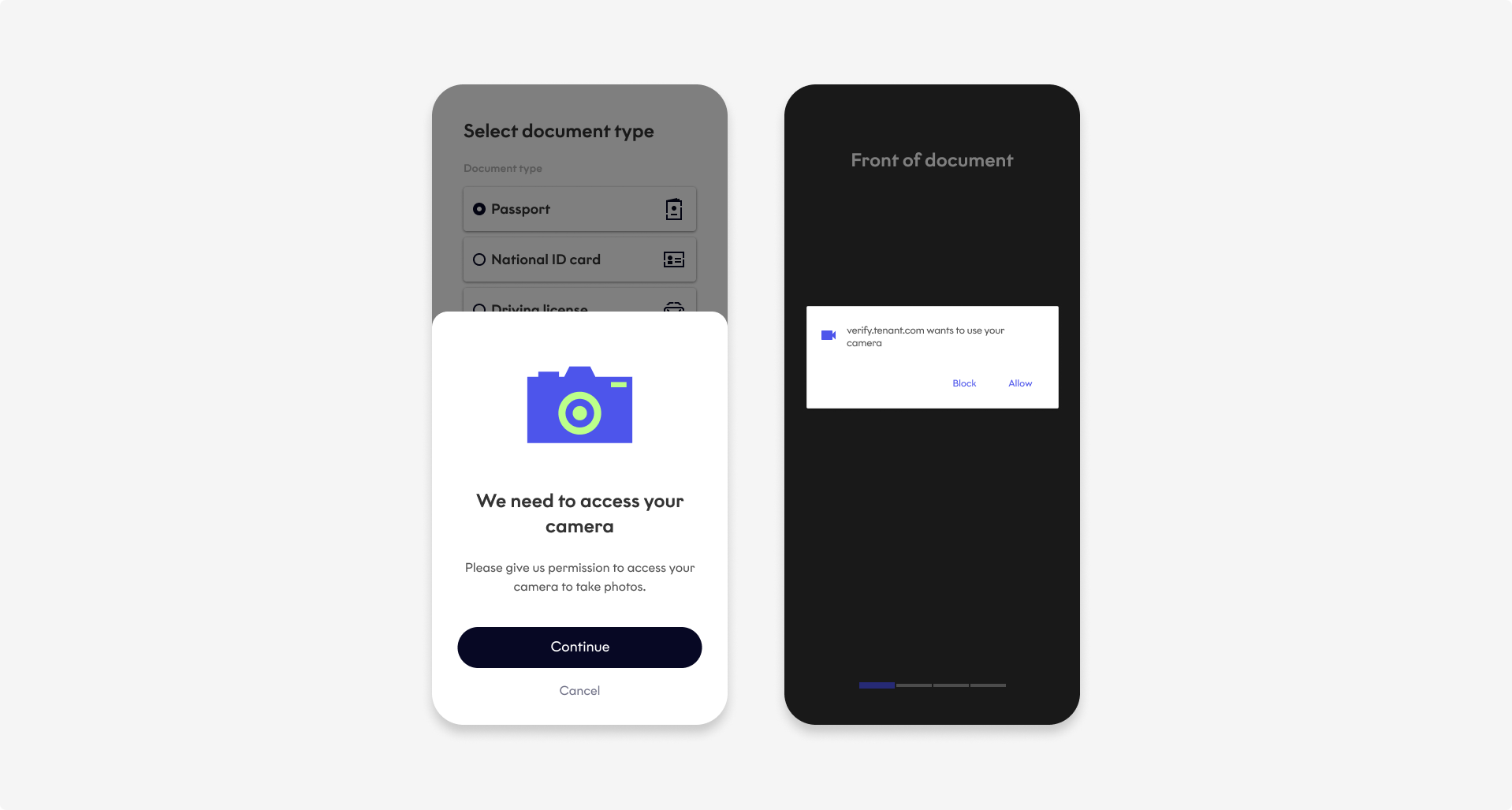
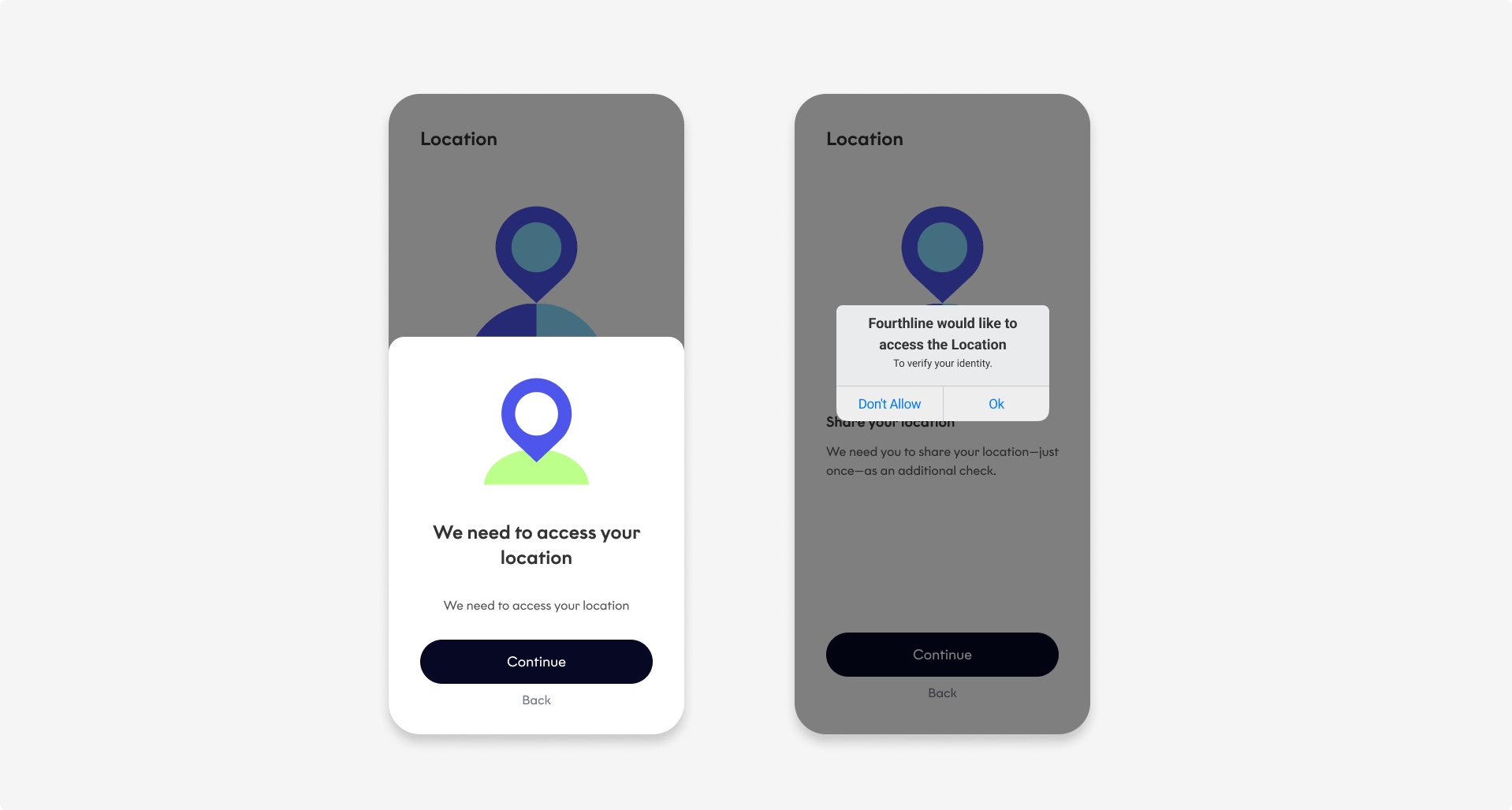
The App Drop-in asks for:
- Camera permissions to take document photos and video, and selfie photo and video
- Location permissions to access the client's geolocation and device metadata
Permissions are only requested once during the flow.
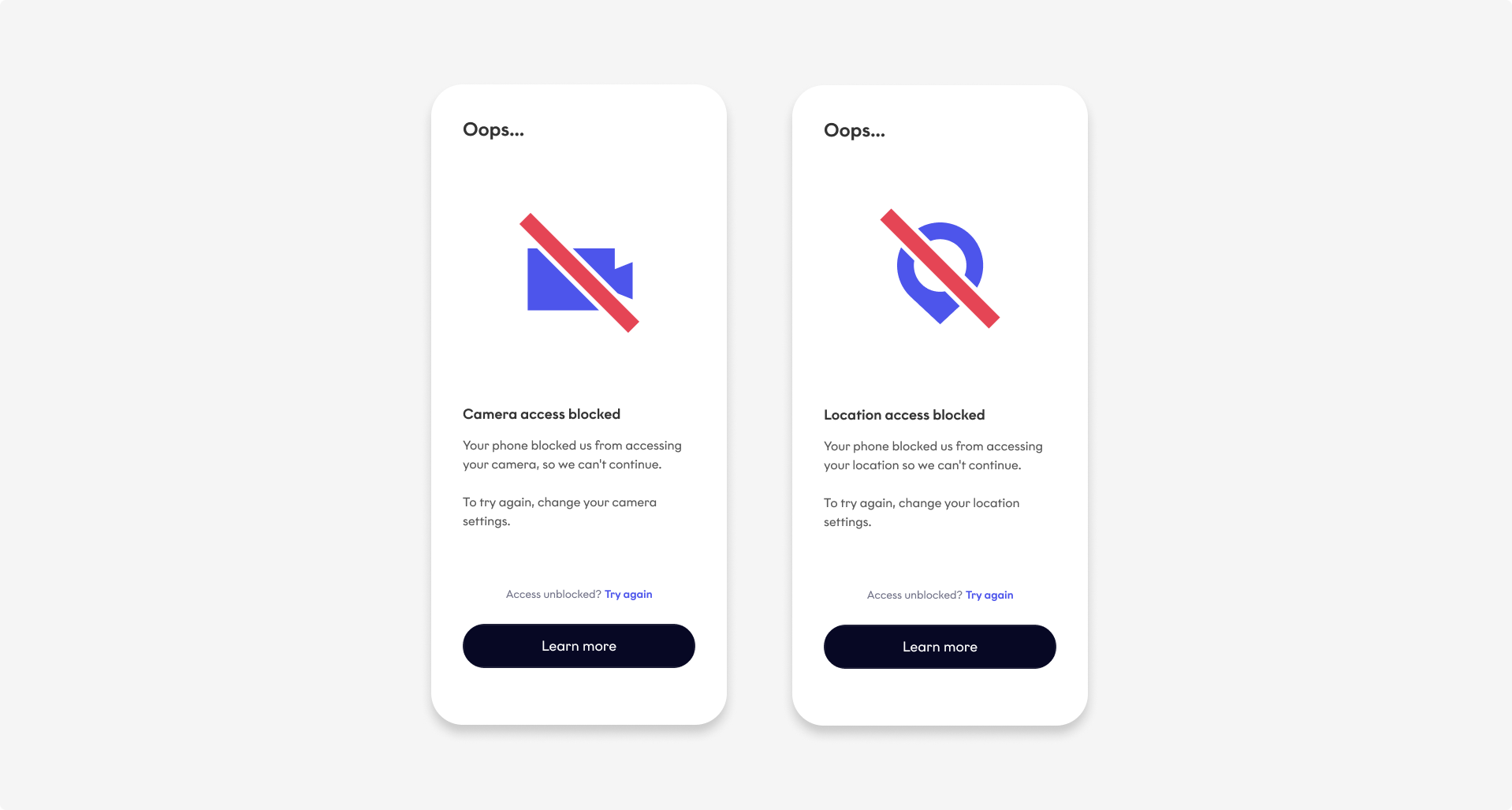
If the client blocks permissions, the drop-in shows the following screens:
Warnings and errors
The following warnings and errors are possible:
| Type | Description |
|---|---|
| Bank Account Verification | • Bank Account Verification required to complete identity check • Client's bank declined the transfer • The PSP> is unavailable • Name not received from the PSP> for matching • Payment failed due to technical error |
| Camera | • Camera stopped • Camera timed out |
| Client | Underage client |
| Device | • Device offline • Outdated software • Unsupported device |
| ID document | • Blurriness • Document condition insufficient • Document scan error • Document type must match the client's input • Expired document • Glare • Invalid data • Issuing country on ID document must match the client's input • Nationality must match the client's input • Photo of a screen or photocopy detected • Required side error • Unsupported document type, issuing country, or nationality |
| Location | • Blocked location service • Disabled location service |
| Network | • Blocked network request • Internet error • Network error • Server error |
| Permissions | • Blocked camera permissions • Blocked location permissions • Permissions error |
| Physical Proof of Address | • Camera roll access denied for file upload • Unsupported file type or size (JPG or PNG less than 10 MB) |
| Qualified Electronic Signature | • Approved document download failure • Fatal document approval error • Incomplete or failed Identity Verification • Location not supported • One-time passcode expired, was resent too many times, or too many attempts • Selfie not the same person as in associated Identity Verification case |
| Selfie | • Multiple faces detected • No face detected • No motion detected during liveness |
| SDK session | • Expired • Fatal error • Missing SDK validation code • Retryable error |
| Warnings | • Camera in use by another application • Position of face within selfie mask • Inconsistent data |
Disclaimer
We continuously improve our SDKs. As a result, the videos and screenshots on this page are provided for illustrative purposes only and may not exactly match the current SDK experience.
Updated 4 months ago